← Back home

Farmers markets

Verified accounts for farmers market vendors taking online pre-orders

Pre-orders mean you harvest to a known number, sell out with less waste, and know Saturday's income before you load the truck. A verified payment account is what makes customers comfortable paying before they see the produce.

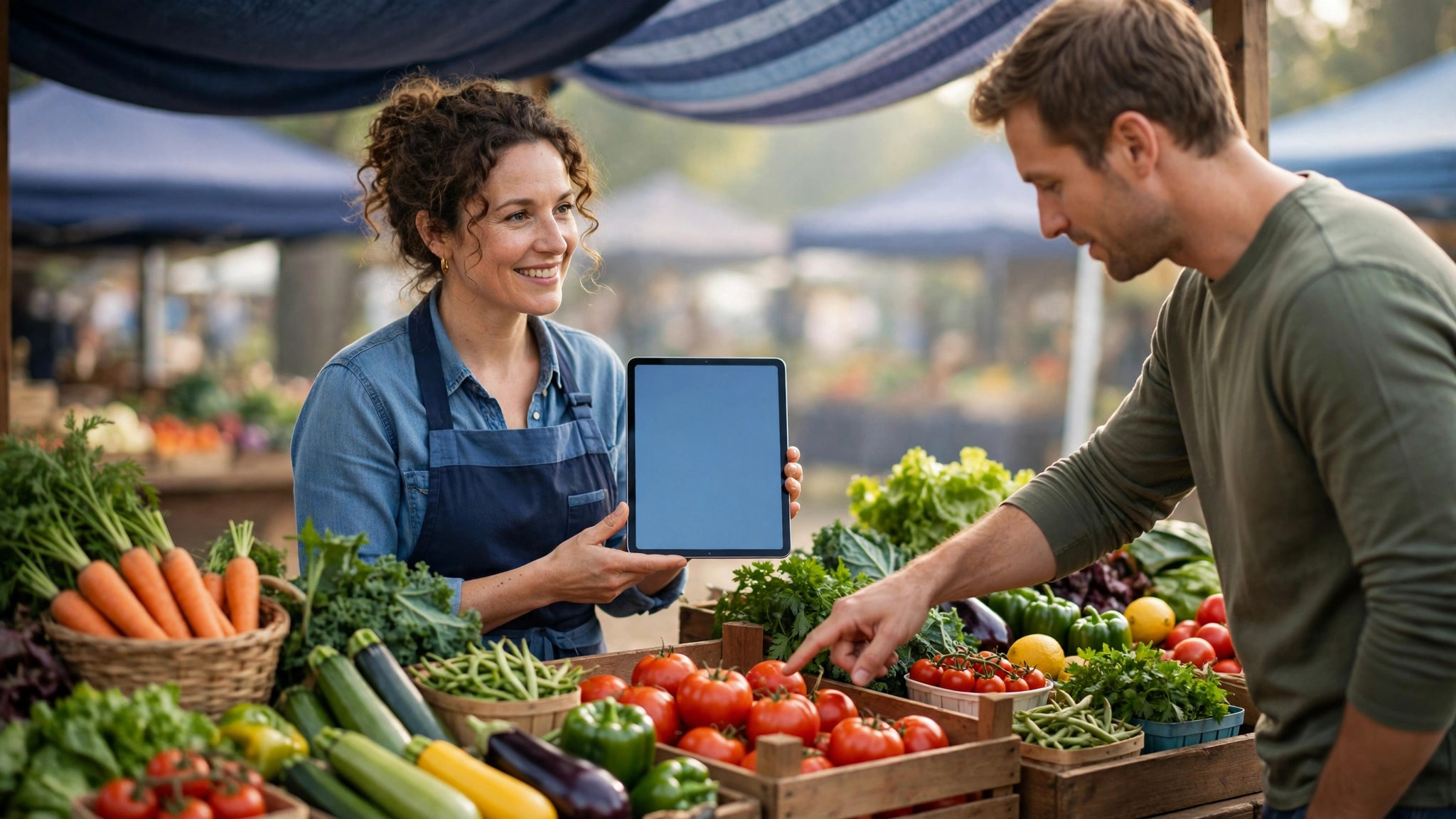
Farmers market vendor showing a customer a tablet at a produce stall

Why this guide exists

The hardest part of a market stall is not growing the food — it is guessing how much to bring. Pre-orders solve the guessing, but only if customers trust the payment. This guide walks through the setup that earns that trust: a verified account, a short order flow, a clear cutoff, and records that reconcile in minutes.

Why pre-orders change a market stall

A farmers market stall runs on guesswork without pre-orders. You harvest on Thursday, pack on Friday night, and drive to the market on Saturday hoping the crowd wants what you brought. Bring too much and the unsold crates go home to wilt; bring too little and regulars leave empty-handed, their money going to the next stall.

Pre-orders flip that order around. Customers reserve their box, their dozen eggs, or their loaf before market day, and you harvest to a known number. The stall still welcomes walk-up buyers, but the core of the day is already sold before you load the truck. For perishable goods — berries, leafy greens, cut flowers, fresh bread — that certainty is worth more than any single sale.

The catch is trust. A customer who pays before seeing the produce trusts you twice: that the goods will be there, and that their payment is safe. That is where the account behind the payment matters. A verified payment account — business name, address, and identity checked by the platform — shows the buyer they are paying a real business, not a disappearing handle.

What a verified account does for a vendor

First, it keeps payouts predictable. Platforms hold or delay payouts when the account behind them looks incomplete or inconsistent. A verified account with a matching legal name, a current address, and a bank account in the same name clears the checks that cause most holds, so Saturday's sales reach your bank on schedule.

Second, it gives customers a name they can check. When a buyer taps to pay and sees a business name matching your stall sign, market listing, and social page, the purchase feels safe. When the names do not match, some buyers back out, and the ones who pay are more likely to dispute the charge later.

Third, it keeps your records in one place. Pre-orders, deposits, refunds, and market-day sales all land in the same account, on the same statement your bookkeeper sees. At tax time you are not stitching together screenshots from three apps and a cash box.

Setting up a pre-order flow that fits a market day

Keep the flow short. A customer should be able to reserve in under a minute: pick the item, the pickup market and date, pay, and get a confirmation to show at the stall. Every extra step — an account to create, a ten-field form — loses orders, especially from regulars buying from their phone at the kitchen table.

Decide up front whether you take a deposit or full payment. A small deposit commits the customer while keeping the ticket easy; full prepayment gives you cash before harvest, which helps when you are buying seed, feed, or packaging weeks ahead. Either way, say clearly on the order page whether the amount is refundable and what happens if the market is cancelled for weather.

Set a weekly cutoff and stick to it. If your market is Saturday, close pre-orders Thursday evening so Friday is for harvesting and packing to the list. Publish the cutoff next to every item — customers learn the rhythm quickly, and the cutoff is what turns pre-orders from extra work into a calmer week.

Build the pickup list from the orders: customer name, order, amount paid, amount still owed. Check names off as bags change hands — the list is also your record if a customer says they paid and you cannot find them.

Choosing where customers place the order

Many vendors start with the channel their customers already use: a marketplace storefront, a simple order form linked from social media, or the market's own online directory. The right choice is the one your regulars will actually open. A beautiful shop nobody visits is worse than a plain form your customers already trust.

Whichever channel you choose, the payment account behind it should be the same verified business account. Splitting pre-orders across a personal payment app, a marketplace balance, and a cash box makes reconciliation a weekend chore. One account, one statement, one place to look when a number does not add up.

Watch the fees the way you watch seed costs. A small fee per order is easy to ignore until a busy season turns it into a real number. Compare the per-order fee, payout timing, and any monthly charge before the season starts, and build the fee into your prices. A price that covers the fee keeps pre-orders profitable instead of quietly loss-making.

Harvest planning from real numbers

Pre-orders turn harvest planning from a guess into arithmetic. If thirty boxes are reserved, you pick thirty plus a small buffer for walk-up sales. Over a season the buffer gets smarter: you learn which items sell out by nine and which linger until closing, and you adjust the quantities and the buffer separately.

The numbers also tell you what to plant next season. An item that sells out its pre-orders every week is a crop to grow more of; one that only sells on the table is a crop to shrink. Growers who track this for a full season plant from their own order history instead of a hunch in January.

Keep a simple weekly note alongside the numbers: weather, footfall, anything unusual. A slow week in a storm is not a demand problem, and a festival sell-out is not a normal week. The note stops you from misreading one odd Saturday as a trend.

Handling no-shows, refunds, and bad weather

Some customers will not show up. Decide the rule before it happens and print it on the order confirmation: unclaimed orders are held until a set time, then resold or donated, and the deposit is kept or refunded per the published policy. A rule announced in advance feels fair; one invented at the stall feels like an argument.

Refunds are part of the job, not a failure. A customer who finds a bruised melon and gets a quick, polite refund comes back; one who has to chase you does not, and may leave a review that costs more than the refund. Record the reason with each refund — quality, wrong item, no-show — so patterns show up before they become a problem.

Weather cancels markets. When it does, message every pre-order customer the same day with the plan: refund, credit toward next week, or pickup at the farm. The message matters more than the option — customers who hear from you promptly stay customers; those who hear nothing assume the worst and dispute the charge.

Keeping the money and the records clean

Reconcile weekly, not monthly. Match the pre-order list against the payout statement every week while the market is still fresh in your mind. A missing payout or a forgotten refund is a five-minute fix in the same week and a miserable hunt a month later.

Keep the business name identical everywhere it appears: the payment account, the stall sign, the market directory, the order form, and the bank account. A mismatch is the single most common reason a platform asks for extra documents mid-season, and a mid-season document request is how a payout gets held during your busiest weeks.

Separate market money from household money. Pay market expenses from the business account and move a set amount to yourself on a schedule, rather than dipping into each payout. Clean separation makes the books simple, tax season shorter, and it obvious whether the stall is actually earning what you think it earns.

Security habits for a stall that sells online

Turn on two-factor authentication on the payment account and on the email that controls it, and keep the recovery codes somewhere safe — not in the same phone that holds the login. A stall phone gets dropped, left in a truck, or handed to a helper; the account behind the money should survive all three.

Treat verification and payout emails with suspicion. Platforms do ask for documents sometimes, but they do not ask you to log in through a link in an unexpected email. If a message claims your payout is on hold, open the platform yourself and check — never tap the link in the message. A single phished login can reroute a season of payouts.

Give helpers their own access where the platform allows it, and remove it when the season ends. A shared login means nobody knows who changed the payout bank. Separate logins keep the audit trail honest and the account recoverable.

Before your first pre-order week

  • Verify the payment account: legal name, address, and bank account all match.
  • Pick deposit or full prepayment, and write the refund and no-show rule on the order page.
  • Set a weekly order cutoff and publish it next to every item.
  • Test the full flow yourself: order, pay, confirm, and check in at the stall.
  • Turn on two-factor authentication and store the recovery codes safely.

Every market week

  • Close orders at the cutoff and build the pickup list from the orders.
  • Harvest to the list, plus a small buffer for walk-up buyers.
  • Check names off as bags change hands; note any no-shows on the list.
  • Reconcile the payout statement against the pickup list the same week.
  • Message any customer whose order was missed, short, or refunded — the same day.

Mistakes that cost vendors a market day

  • Taking pre-orders on a personal payment app, then trying to prove business income from personal statements.
  • No published cutoff — orders keep arriving while you are already harvesting.
  • A payment page name that does not match the stall sign, so buyers hesitate or dispute.
  • No-show rule invented at the stall instead of printed on the confirmation.
  • Skipping the weekly reconciliation until tax season, when every error is cold.
  • Sharing one login with every helper, then finding the payout bank changed.

Verified payouts

A matching name, address, and bank account keep payouts on schedule through the busy season.

Clean records

One account for pre-orders, deposits, and refunds — one statement your bookkeeper can follow.

Steady customers

Clear rules on refunds and no-shows turn one-time buyers into weekly regulars.

Educational note: this guide explains how verified payment accounts work for farmers market vendors. It is general information, not financial, legal, or tax advice. Payment rules, fees, and payout timing vary by platform and can change — check the current terms of the platform you use, and talk to a qualified adviser for decisions about your own business.

Ready to take pre-orders with confidence?

Every account in our catalog is verified before it reaches you, so your customers pay a real business and your payouts arrive on schedule. Ask us anything before you order.